OCA/storage · 18.0

Microsoft account for Drive
microsoft_drive_account
Microsoft account for Drive





This addon allows the user to link their Microsoft Drive account to Odoo. The stored credentials are then used by other addons to perform actions on Drive as the logged-in user.
Table of contents
Configuration
In order to use the Microsoft Drive Account module, you need to follow this process for link Odoo and Microsoft:
PART 1 : Create an Azure Application
To allow Odoo to access Microsoft OneDrive or SharePoint through the Microsoft Graph API, you must create an application in Azure Active Directory.
Step 1 – Open the Azure portal and go to Azure Active Directory, then "App registrations", and click “New registration”.
Step 2 – Register the application. Set a name “Odoo storage integration”. Select the third option "Accounts in any organizational directory (Any Microsoft Entra ID tenant - Multitenant) and personal Microsoft accounts (e.g. Skype, Xbox)" Add a Redirect URI of type "Web". {URL of your Odoo instance}/microsoft_account/authentication. Once the application is created, note the Application (client) ID and the Directory (tenant) ID.
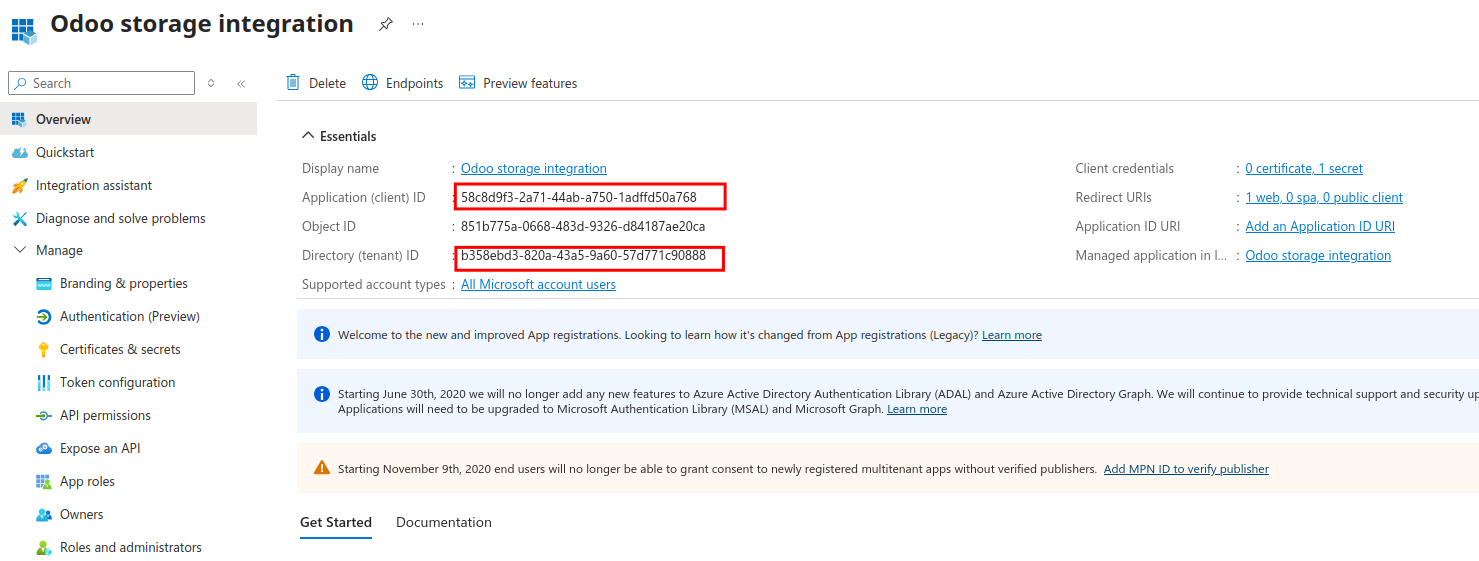
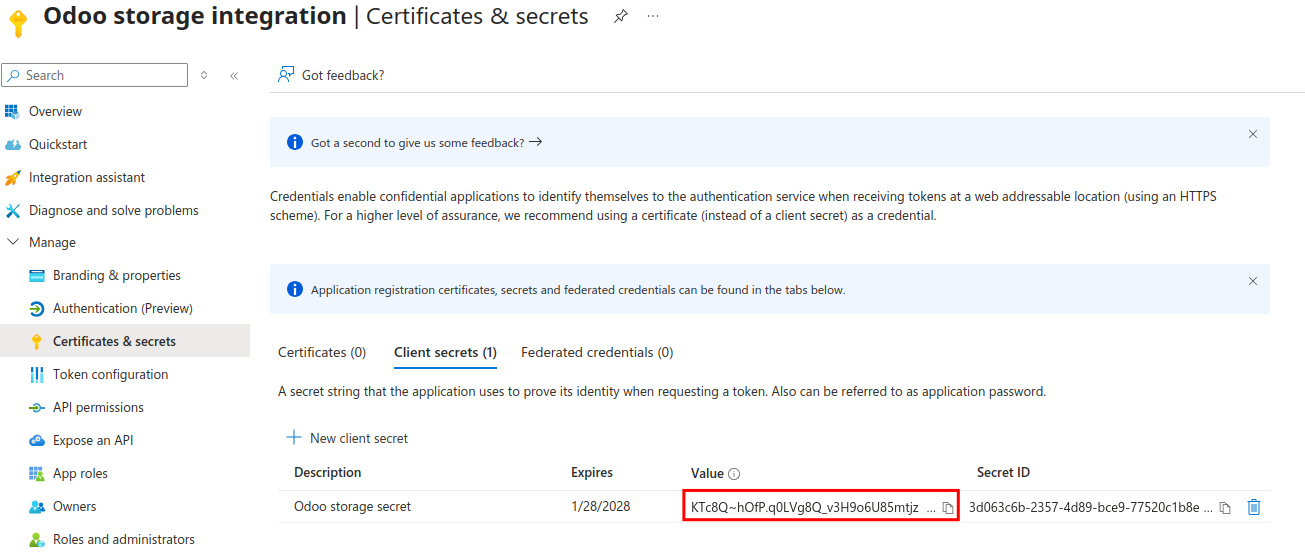
Step 3 – Generate a client secret. Go to Certificates & secrets, create a new client secret (Description : Odoo storage secret / Expires : 24month), and copy its value. You will not be able to see it again.
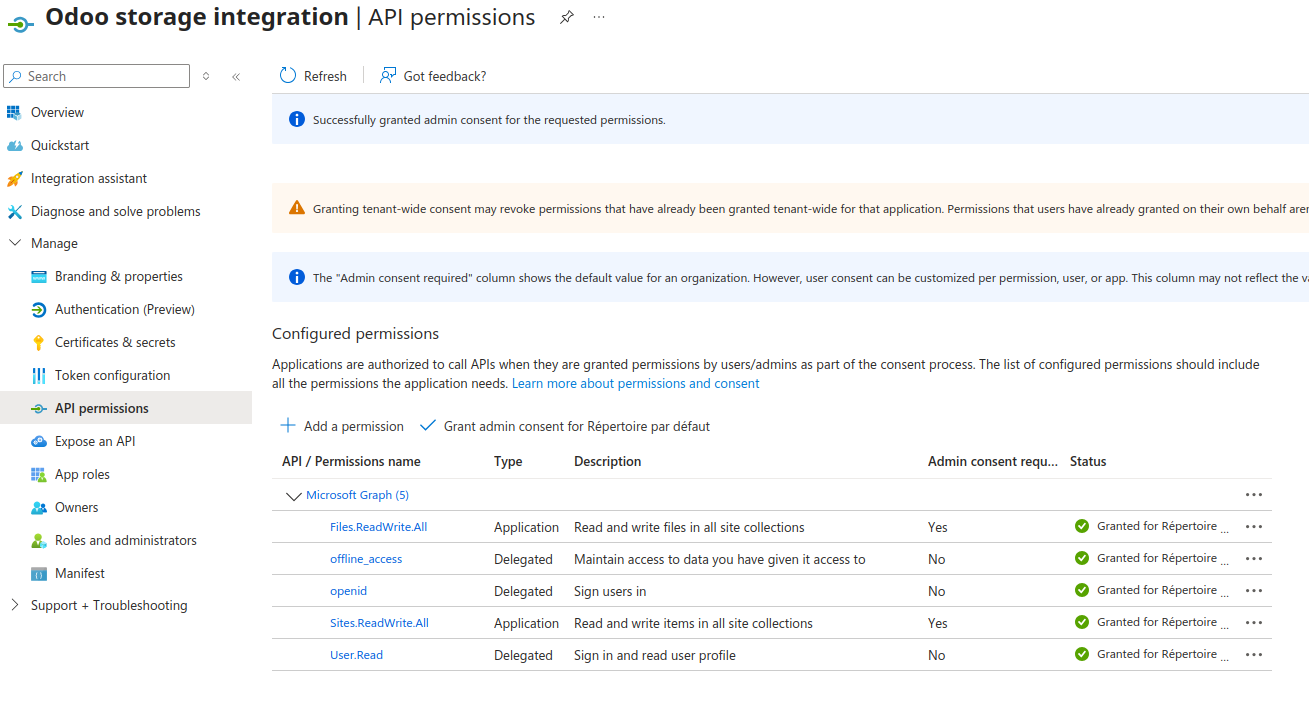
Step 4 – Configure API permissions. Open API permissions, add Microsoft Graph "Application permissions", and include Files.ReadWrite.All, and Sites.ReadWrite.All. Add also "Delegated permission" for include offline_access, openid.
IMPORTANT : Grant admin consent so the application can use these permissions.
PART 2 : Set Odoo System Parameters
You need your tenant_url, you can find it in your Azure portal, open Home > Dashboard. Look at the URL, it's usually ends with onmicrosoft.com.

In Odoo, open Settings > Technical > System Parameters.
Required parameters:
- microsoft_account.auth_endpoint : This is the Microsoft OAuth2 authorization URL. It usually has the form: <https://login.microsoftonline.com/%7Btenant_url%7D/oauth2/v2.0/authorize>
- microsoft_account.token_endpoint : This is the token endpoint URL, usually: <https://login.microsoftonline.com/%7Btenant_url%7D/oauth2/v2.0/token>
- microsoft_drive_client_id : The Client ID of the Azure application.
- microsoft_drive_client_secret : The Client Secret value generated in Azure.
Optional parameter :
- microsoft_drive_client_scope : Defines the permissions requested by Odoo. If not defined, Odoo uses the default scopes: offline_access, openid, Files.ReadWrite.All, Sites.ReadWrite.All.
PART 3 : Test the Configuration
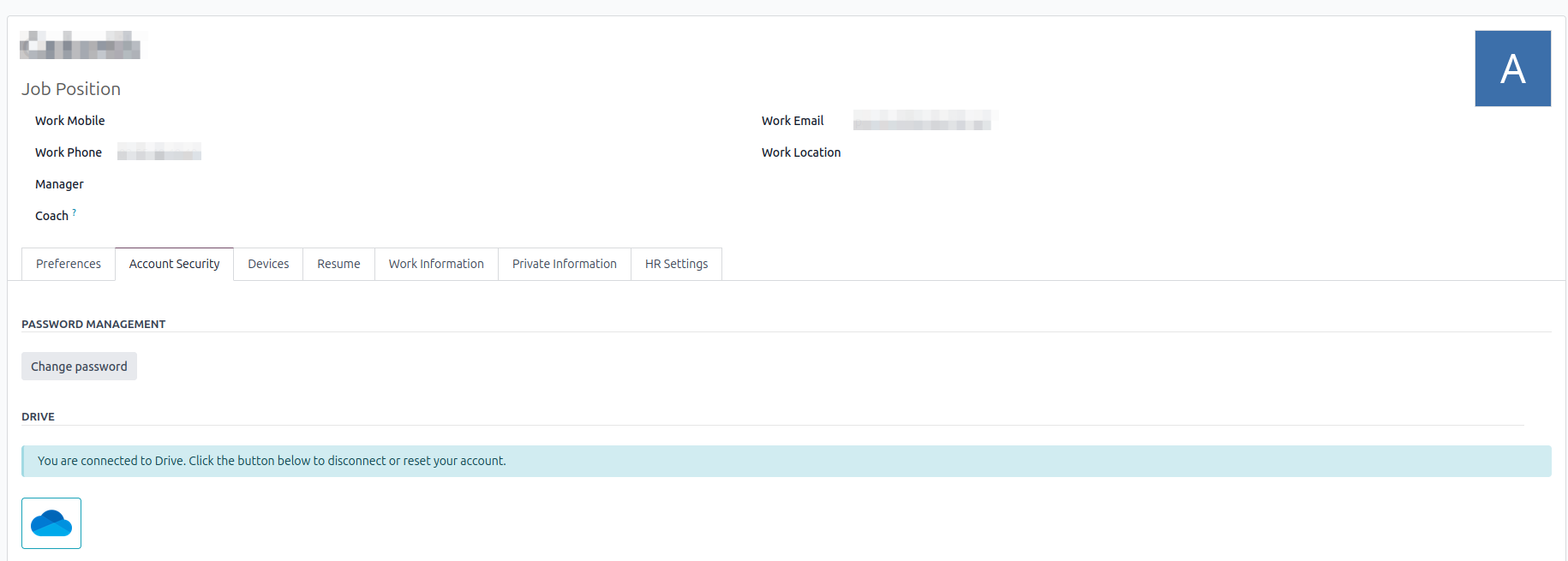
Step 1 – In Odoo, go to your odoo profile and select "Account Security",then click on the “grey cloud icon".
Step 2 – You will be redirected to the Microsoft login page. Sign in and accept the requested permissions. You will then be redirected back to Odoo.
Step 3 – After authorization, Odoo should display a "blue cloud icon". The connection is now established.
Usage
On the user preference page, the user can link their Microsoft Drive account to Odoo by cliking on the Drive button. This will redirect the user to the Microsoft authentication page, where they can log in and grant permission to Odoo to access their Drive account. Once the user has granted permission, they will be redirected back to Odoo, where their Drive account will be linked.
Bug Tracker
Bugs are tracked on GitHub Issues. In case of trouble, please check there if your issue has already been reported. If you spotted it first, help us to smash it by providing a detailed and welcomed feedback.
Do not contact contributors directly about support or help with technical issues.
Credits
Authors
- ACSONE SA/NV
Contributors
- Laurent Mignon <<laurent.mignon@acsone.eu>>
Other credits
The development of this module has been financially supported by:
- ACSONE SA/NV
Maintainers
This module is maintained by the OCA.

OCA, or the Odoo Community Association, is a nonprofit organization whose mission is to support the collaborative development of Odoo features and promote its widespread use.
Current maintainer:

This module is part of the OCA/storage project on GitHub.
You are welcome to contribute. To learn how please visit <https://odoo-community.org/page/Contribute>.